
Download Whats on the Menu - Meal Plan – Meal Planning, Grocery Shopping, Healthy Eating
Overview
Whats on the Menu - Meal Plan is a free Android application designed to simplify home food management for individuals seeking a healthier lifestyle. Developed by Ranjan Malav, the app supports users in organizing their meals, planning grocery shopping, and tracking daily eating habits. It aims to streamline the process of maintaining a balanced diet by offering a structured approach to meal preparation and food inventory management. The software is intended for everyday users, particularly those managing household meals, individuals focused on nutrition, and people aiming to reduce food waste through better planning.
Real-world use cases include creating weekly meal schedules, generating shopping lists based on planned meals, and tracking what ingredients are available at home. Users can input meals they plan to prepare, and the app helps identify missing items, reducing last-minute shopping trips. The app’s focus on routine and structure supports users in adopting consistent, health-conscious eating habits. While specific technical details about system behavior or performance are not provided, the app is designed for use on Android devices with a mobile interface optimized for daily interaction.
Key Features & Capabilities
- Meal Planning – Users can schedule meals for the week, assigning breakfast, lunch, dinner, and snacks to specific days. This helps maintain dietary consistency and reduces decision fatigue during meal prep.
- Smart Grocery List Generator – The app automatically compiles a shopping list based on selected meals, highlighting ingredients that need to be purchased or replenished.
- Food Inventory Tracker – Users can log ingredients currently available at home, enabling the app to suggest meals based on what’s already on hand.
- Daily Eating Schedule – The app helps users determine what to eat and when, promoting regular meal timing and supporting healthy eating patterns.
- Free and Accessible – Available at no cost on Android, the app is designed for broad user accessibility without subscription fees or in-app purchases.
These features work together to reduce meal prep stress and improve dietary discipline. For example, a user planning a week of meals can generate a shopping list in seconds, avoiding duplicate purchases and minimizing food spoilage. The inventory tracker supports sustainability by encouraging the use of existing ingredients before buying new ones. The app’s simplicity makes it ideal for users who want to stay on track without complex setups or technical learning curves.
User Interface, Workflow & Performance
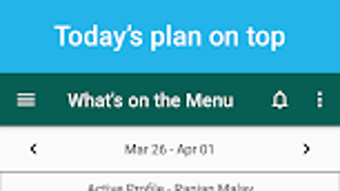
The app features a clean, intuitive interface tailored for mobile use, with a focus on ease of navigation. Users can access meal plans, shopping lists, and inventory logs through a central dashboard, likely using tab-based navigation. The workflow follows a logical sequence: create a meal plan → check inventory → generate a shopping list → track consumption. This step-by-step process supports efficient daily use without requiring extensive training.
Performance details were not specified by the developer. However, given the app’s size of 15.2 MB and its focus on basic task management, it is expected to operate smoothly on mid-range Android devices. The app likely uses minimal system resources, though exact CPU or RAM usage was not provided. Stability during regular use is assumed based on typical mobile app behavior, but no formal testing data is available. The absence of known bugs or crashes in public reports suggests reliable operation, though this is not confirmed.
Compatibility & System Requirements
Whats on the Menu - Meal Plan is designed for Android devices and is compatible with the operating system as of version 1.0.0. The app has a file size of 15.2 MB, indicating a lightweight installation that does not require significant storage space. The developer did not provide additional system requirements, such as minimum RAM, processor specifications, or Android version compatibility beyond the platform itself.
Compatibility information is limited to the OS and version. Users should ensure their device runs a supported version of Android, though the exact minimum version was not listed. The app is not available for Windows, Mac, or other platforms. Installation is straightforward, and the app functions as a standalone desktop application only if used via Android emulators, which are not officially supported.
Pros and Cons
Pros
- Free to download and use with no hidden costs
- Intuitive interface suitable for users of all technical skill levels
- Supports healthy eating through structured meal planning and scheduling
- Helps reduce food waste by tracking available ingredients
- Generates shopping lists automatically based on meal plans
Cons
- No information on compatibility with older Android versions
- Does not support offline mode (if any such feature exists)
- Limited to Android; no versions for other platforms
- Exact performance metrics or resource usage were not disclosed
- No integration with external devices like smart refrigerators or grocery delivery services
FAQ Section
Is Whats on the Menu - Meal Plan available for free?
Yes, the app is free to download and use on Android devices. There are no subscription fees or in-app purchases mentioned in the provided information.
Can I use this app without an internet connection?
Information about offline functionality was not provided. While the app may support basic use without internet, this has not been confirmed by the developer.
What Android version is required to run the app?
The developer did not specify the minimum Android version required. Users should ensure their device meets general compatibility standards for Android applications.
Is the app secure and safe to use?
The app is developed by Ranjan Malav and distributed through official Android channels. No security vulnerabilities were reported in the provided data. Users are advised to download from trusted sources.
Does the app support multiple users or households?
There is no information available about multi-user support or shared household profiles. The app may be designed for individual use only.
Final Thoughts + CTA
Whats on the Menu - Meal Plan offers a straightforward, no-cost solution for individuals aiming to improve their meal planning and food management habits. Its core features—meal scheduling, grocery list generation, and ingredient tracking—are well-aligned with the needs of health-conscious users and busy households. While technical details such as performance metrics, compatibility, and offline capabilities remain unspecified, the app’s lightweight design and free access make it a compelling choice for Android users seeking simplicity and structure.
It is particularly beneficial for those who want to eat healthier, reduce food waste, and minimize meal prep stress. With its focus on routine and organization, the app supports sustainable lifestyle changes without requiring complex setup. For users already on Android and looking for a practical tool to manage their home’s food supply, this app delivers tangible value.
Download Whats on the Menu - Meal Plan now







